
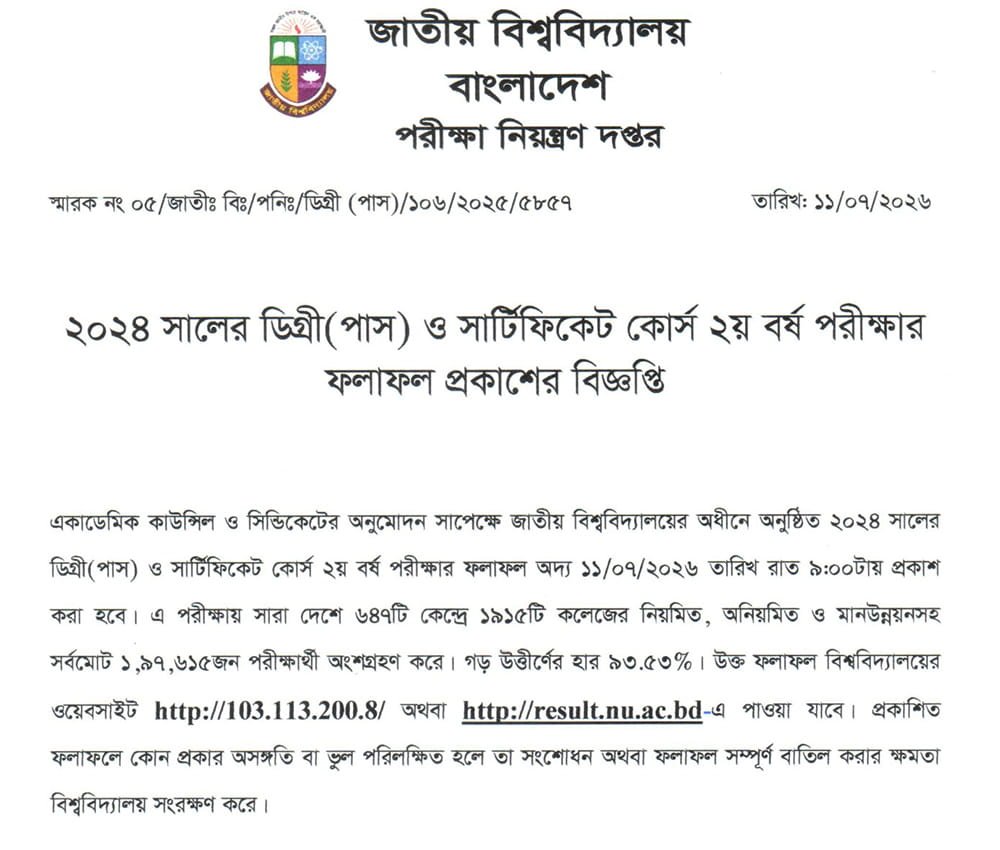
When you’re waiting for your National University Degree 2nd Year Result 2026, what matters most is getting accurate information at the right time. The result was officially published on July 11, 2026, by the National University for the 2024 exam session. To check your result, you can visit the official portal at results.nu.ac.bd. There’s also an SMS option if you prefer a quicker or offline method. This guide walks you through each step and explains how to read your result properly.
NU Degree 2nd Year Result 202
The Degree 2nd Year exams included programs like BA, BSS, BSc, and BBA. The examination period began on April 20, 2026, and ended on May 18, 2026. The results were released on July 11, 2026. In total, 1,97,615 students from 1,915 colleges took part in the exams, which were held across 647 centers nationwide.
| Exam Name | Degree 2nd Year |
| RESULT STATUS | Published on July 11, 2026 |
| Exam Start | April 20, 2026 |
| Exam End | May 18, 2026 |
| AUTHORITY | National University of Bangaldesh |
NU Result Degree 2nd Year 2026
The Degree 2nd Year result plays a key role in your academic progress, as it determines your next step. Based on previous trends, results are usually published within three to four months after exams end, which aligns with the July 2026 release. For updates, it’s best to regularly check the official NU website or reliable result platforms.
How to Check NU Degree 2nd Year Result
You can check your result either online or through SMS. The online method is the most convenient if you have internet access and want to view or download your marksheet instantly.
To check your result online:
- Go to the official website: www.nu.ac.bd/results
- Select “Degree” and then “2nd Year”
- Enter your roll number or registration number along with your passing year
- Fill in the captcha code
- Click the “Search Result” button
- Once your result appears, you can download or print your marksheet
Checking via SMS
The SMS method lets you check your Degree 2nd Year results quickly, especially if you lack internet access or prefer a straightforward approach.
- Compose New Message: Type the message in the following format:
- NU <space> DEG <space> Roll Number
- Send to Official Number: Send this message to 16222.
- Receive Result: You will receive a reply with your result details.
Degree 2nd Year Result Marksheet
Your marksheet will show detailed information about your performance, including subject-wise marks, grades, and CGPA. You can access it online by entering your roll number, registration number, and passing year on the official website. Make sure to review all the details carefully to avoid any errors.
Degree 2nd Year Result Rescrutiny Guide
If you feel your result does not reflect your performance, you have the option to apply for rescrutiny. This process allows the university to recheck your exam papers for possible mistakes in marking or calculation. The application window usually opens shortly after the results are published and remains open for a few weeks. After applying, it may take several weeks for the review to complete, and updated results are generally released within two to three weeks after the application period ends.
Conclusion
Now you can easily check your Degree 2nd Year Result 2026 using your roll or registration number along with your passing year. Be sure to download your marksheet and keep it محفوظ for future use. It’s also important to verify all the information listed there.
If needed, you can apply for rescrutiny within 30 days of the result publication. For any updates or notices, keep an eye on the official National University website.